Add Row
Add Element
Add Element
cropper
update

AI GROWS YOUR BUSINESS

cropper
update
Add Element
  • AI update for local business on Facebook
    update
  • AI update for local business on X
    update
  • Dylbo digital media Google business profile
    update
  • Dylbo digital media on LinkedIn
    update
  • update
  • DYLBO digital media on YouTube
    update
  • DYLBO digital media on Instagram
    update
  • Home
  • Categories
    • AI Simplified
    • Tool Talk
    • Success Stories
    • Step-by-Step
    • Future Ready
    • Expert Opinions
    • Money Matters
August 09.2025
2 Minutes Read

Elevate Your Chromebook Experience: Must-Have Android Apps for Business Owners

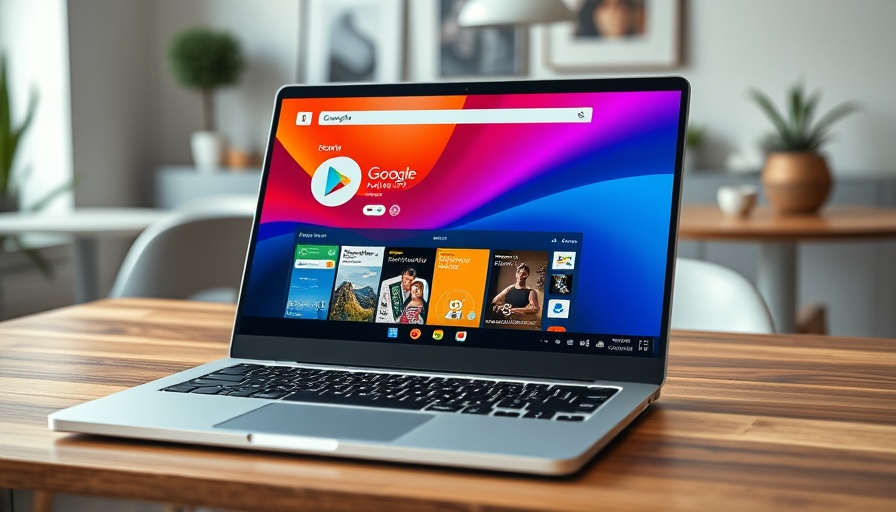
Chromebook with Android apps from Google Play Store displayed

Enhancing Your Chromebook Experience with Android Apps

Did you know that your Chromebook is capable of running Android applications? This functionality has opened up a world of possibilities for users, making your day-to-day tasks easier and more enjoyable. Whether you're a business owner managing projects on the go or a student tackling assignments, the Google Play Store is filled with apps that cater to every need. Here are five essential apps that can elevate your Chromebook experience.

Unlock the Power of Music with Native Apps

Music players like Spotify and Apple Music often excel on their native platforms, yet web players struggle to match this experience. By downloading the Android apps directly onto your Chromebook, you gain offline access to your favorite tunes. This feature is incredibly useful during those long stretches without Wi-Fi, such as when you're out at a coffee shop or on a flight.

Edit Photos Like a Pro with Adobe Lightroom

For photography enthusiasts, Adobe Lightroom has become an industry standard, and the Android version works well on Chromebooks. It allows you to edit JPEGs seamlessly, and while some features are subscription-based, the basic functionalities are more than sufficient. This means you can enhance your photos even when you're away from your main editing setup—perfect for on-the-go creators.

Create Stunning Graphics with Ease

Canva is transforming the way people approach graphic design by simplifying complex tasks. On your Chromebook, this design tool runs smoothly and doesn’t require powerful hardware. If you’re in business and need to create promotional materials or presentations, Canva offers a user-friendly platform that gets the job done without the steep learning curve of traditional software.

Expanding Your Business Horizons with Productivity Tools

Among the many Android apps available for Chromebooks, you can find tools designed to boost productivity and streamline workflows. Applications like Evernote, Trello, and Slack integrate well, allowing for efficient collaboration among teams. This is crucial for business owners looking to maintain effective communication and project management, regardless of location.

The Future of Chromebook Usability

As more developers create apps optimized for ChromeOS, the potential for these versatile machines expands tremendously. Embracing the capability of Android applications on Chromebooks will not only enhance your daily productivity but also allow you to work seamlessly across devices.

In conclusion, integrating Android apps into your Chromebook's operations can significantly streamline your tasks while providing offline capabilities that web alternatives often lack. As a manager or business owner, consider exploring these apps to further empower your work. Dive into the Google Play Store today and start transforming your Chromebook into a powerful tool for success.

Step-by-Step

21 Views

0 Comments

Write A Comment

*
*
Related Posts All Posts
12.23.2025

Unlock Massive SSD Performance Boost: Here's How to Use Microsoft’s New NVMe Driver

Update Unleashing the Potential of SSDs with Microsoft’s New NVMe Driver For many hands-on business owners and tech enthusiasts, the desire for speed and efficiency is paramount. Recent advancements in Windows Server 2025 have introduced native NVMe support, which has the potential to drastically enhance SSD performance. What does this mean for your business's data handling and tech strategies? Let’s explore. Understanding NVMe: The Game-Changer in Storage Technology Non-Volatile Memory Express (NVMe) technology represents a significant leap over traditional SATA SSDs. Historically, Windows has treated these high-performance drives similarly to older technologies like SCSI, leading to unnecessary latency and slower performance. However, the transition to native NVMe support in Windows Server 2025 eliminates this hurdle. Now, Windows can communicate with NVMe devices directly, bypassing the SCSI layer entirely and achieving what Microsoft describes as “extreme performance.” How Businesses Can Benefit from This Upgrade This upgrade isn’t just technical jargon; it translates into tangible benefits for businesses reliant on data performance. A 10%-15% increase in data transfer speeds may not sound monumental, but it can make a significant difference in environments that handle vast amounts of data. For instance, tasks like loading applications or transferring files, which can often bottleneck operations, become much faster. As many savvy users have reported after tweaking their Windows 11 setups, the performance gains can be quite impressive—ranging between 13% and an astonishing 85% for specific workloads. Step-by-Step Guide to Activating Native NVMe Support If you’re excited about boosting your SSD performance, here’s a practical guide to unlocking that potential. Before proceeding, ensure your data is backed up to avoid any mishaps during the process: Open the Command Prompt with administrative rights. Enter the following commands one at a time to modify the registry: reg add HKEY_LOCAL_MACHINE\SYSTEM\CurrentControlSet\Policies\Microsoft\FeatureManagement\Overrides /v 735209102 /t REG_DWORD /d 1 /f reg add HKEY_LOCAL_MACHINE\SYSTEM\CurrentControlSet\Policies\Microsoft\FeatureManagement\Overrides /v 1853569164 /t REG_DWORD /d 1 /f reg add HKEY_LOCAL_MACHINE\SYSTEM\CurrentControlSet\Policies\Microsoft\FeatureManagement\Overrides /v 156965516 /t REG_DWORD /d 1 /f Restart your computer. By following these steps, your system should recognize NVMe drives much better, with the performance boost to follow. Keep an eye on the Device Manager to confirm that your SSD is detected under 'Storage disks' instead of 'Disk drives.' Weighing the Risks and Benefits While the potential speed gains are enticing, it’s crucial to approach this upgrade with caution. Tweaking registry settings can lead to unintended consequences like system instability. Issues have been reported, so thorough backups are essential. Discussing with peers or IT professionals who have successfully implemented similar changes can also provide peace of mind. Take Action: Boost Your SSDs Today Embracing these advancements can significantly impact your business operations, enhancing productivity and efficiency. As the world moves towards faster data processing, ensuring you’re leveraging the latest technology is key. Consider incorporating this SSD performance boost into your tech strategy today, and empower your organization with the speed it needs to thrive in a competitive landscape.

12.23.2025

Google Play Store Users Might Get Cash Back: What to Know About the $630M Settlement

Update Big Money for Play Store Users: What You Need to Know Good news for consumers who have purchased apps or made in-app purchases on the Google Play Store from August 16, 2016, to September 30, 2023! Google has agreed to a monumental $630 million settlement stemming from allegations that the company engaged in monopolistic practices within its app store. This landmark settlement provides an opportunity for eligible users to receive compensation, potentially shaking up their perspectives on how they view digital purchases. Eligibility Made Easy According to the settlement terms, if you’ve ever spent money on the Google Play Store during the specified period, you are likely eligible for compensation. Importantly, no proof of purchase is necessary; you don’t have to sift through old receipts. Instead, users are guaranteed a minimum payout of $2, and those who spent more can receive a larger amount. This streamlined process aims to make it easier for consumers to get their due without the hassles typical of class-action settlements. A Case with Broader Implications This lawsuit isn’t just a win for individual users; it signifies a growing scrutiny of tech giants. Similar legal challenges have been enacted against other major players like Apple, highlighting a shift towards increased transparency and competition in the digital marketplace. Many experts see this movement as essential in ensuring fair pricing for consumers, especially as digital purchases become an integral part of modern life. What Does This Mean for Business Owners? If you're a business owner leveraging tech-based solutions or mobile applications, this tells you that consumer power is evolving. Awareness around issues like app store monopolies might shape how you expect to interact with your digital suppliers. Consider this settlement an eye-opener for making informed choices about where you conduct your business and the platforms you rely on. Looking Ahead: Are You Prepared? As this settlement winds its way through the legal process with a final hearing scheduled for April 30, 2026, it’s essential to stay informed about your rights and eligibility. Embrace the opportunity to reassess your digital habits. Remember, consumers who choose to opt-out of this settlement must act by February 19, 2026, but the majority can simply sit back and await their automatic payouts. Stay vigilant in managing your digital interactions and keep updated on similar opportunities for compensation that may arise.

12.22.2025

Unlock the Power of Alexa Home Theater: Surround Sound Awaits You

Update Transform Your Home Entertainment Experience with Echo Speakers In an exciting development for entertainment enthusiasts, the latest updates from Amazon allow Echo speakers to function as a full-fledged surround sound system for your home. This upgrade not only enhances your viewing experience with Fire TV but empowers you to optimize your audio environment better than ever. Setting Up a Multi-Speaker Surround Sound System The new Alexa Home Theater feature enables users to connect up to five compatible Echo speakers, such as the new Echo Studio or Echo Dot Max, to create a rich, immersive sound experience. Unlike basic stereo setups, this configuration supports a 5.1 surround sound format, which brings films and shows to life in a way that standard setups cannot. What's most innovative is the automatic calibration feature that adjusts audio settings based on your room's acoustics, making even odd room layouts sound spectacular. Compatibility and Setup Made Easy Setting up this multi-speaker system requires minimal effort—around five minutes, provided your devices are all up-to-date. However, it's important to remember that all paired Echo models must be the same, limiting your options if you own different models. This restriction showcases a commitment to providing a streamlined experience, ensuring that every audio unit blends seamlessly. For those using older Echo models, while the option for a two-speaker setup remains, it won't compare to the capabilities of the latest models. Potential Limitations to Consider Despite these upgrades, the Alexa Home Theater feature isn't without its shortcomings. One major drawback is its music playback limitations. You can only stream music through the Fire TV apps when using multiple speakers, as connecting your phone to the entire setup isn't currently an option. This could be frustrating for music lovers who prefer to control their playlists directly from their devices rather than navigating through Fire TV's available apps. Conclusion: A Step Forward in Smart Home Audio Amazon's introduction of the Alexa Home Theater feature holds significant promise for those looking to elevate their home entertainment systems without breaking the bank. By capitalizing on the compatibility and sound quality of Echo speakers, users can enjoy a dynamic audio experience that rivals traditional systems. As always, stay tuned for more innovations in smart audio solutions. Interested in implementing AI solutions tailored for your business? Subscribe for practical guides and insights to help you navigate the evolving technology landscape with confidence.

Terms of Service

Privacy Policy

Core Modal Title

Sorry, no results found

You Might Find These Articles Interesting

T
Please Check Your Email
We Will Be Following Up Shortly
*
*
*