Add Row
Add Element
Add Element
cropper
update

AI GROWS YOUR BUSINESS

cropper
update
Add Element
  • AI update for local business on Facebook
    update
  • AI update for local business on X
    update
  • Dylbo digital media Google business profile
    update
  • Dylbo digital media on LinkedIn
    update
  • update
  • DYLBO digital media on YouTube
    update
  • DYLBO digital media on Instagram
    update
  • Home
  • Categories
    • AI Simplified
    • Tool Talk
    • Success Stories
    • Step-by-Step
    • Future Ready
    • Expert Opinions
    • Money Matters
September 22.2025
2 Minutes Read

Transform Your Google Calendar Experience with This AI Assistant

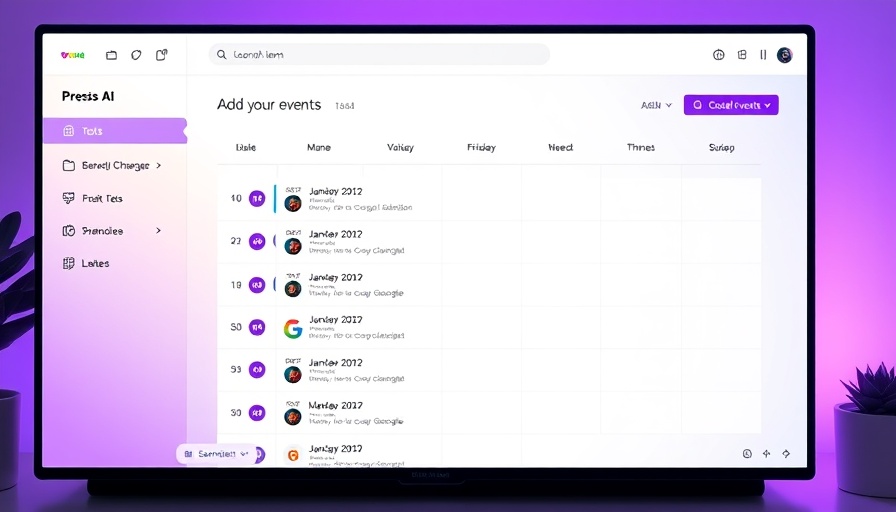
AI-powered calendar interface with event scheduling options

Unlocking the Power of AI with Agenda Hero

As technology progresses into 2025, many business owners find themselves inundated with tools yet still struggle with tedious tasks like calendar management. Enter Agenda Hero, an AI-powered assistant designed to streamline your scheduling experience. Whether you utilize Google Calendar or any other platform, this intelligent tool dramatically reduces the effort required to create events.

Say Goodbye to Calendar Chaos

No more manually entering every detail from lengthy emails or scattered flyers. With Agenda Hero, simply upload an image or PDF containing event information, and the AI quickly extracts the necessary details for you. Within minutes, you're able to convert unstructured information into well-organized calendar entries, calming the chaos that often comes with managing multiple schedules.

Transforming Efficiency in the Workplace

For small and medium-sized business owners, efficiency is crucial. The beauty of Agenda Hero lies in its simplicity and effectiveness. Take, for example, a local service business bombarded with appointment requests through various channels. Instead of juggling these requests and potentially missing vital information, Agenda Hero ensures nothing falls through the cracks by seamlessly integrating events into your calendar.

Real-World Benefits of Using Agenda Hero

Efficiency often translates into profitability. By allowing AI to handle routine tasks, businesses can focus more on core activities and customer engagement. This can result in quicker responses to client needs and enhanced productivity among staff. Moreover, being able to share event information with employees or clients prevents miscommunications and reinforces professional relationships.

Next Steps: Embrace the Future of Scheduling

To truly utilize the capabilities of Agenda Hero, start by integrating it within your daily operations. Explore its features and watch how it cultivates a more organized, efficient workflow. For business owners hesitant about adopting AI solutions, Agenda Hero serves as an accessible starting point in the transition to smarter work practices.

As technology continues to evolve, so too should your business strategies. Don't let outdated processes hold you back. Begin your journey toward a more efficient calendar management experience today!

AI Simplified

14 Views

0 Comments

Write A Comment

*
*
Related Posts All Posts
12.21.2025

The Future of AI for Small Businesses: Free, Private Options Await

Update Unlocking Privacy with Free AI Solutions For small and medium-sized business owners, navigating the ongoing AI revolution can be daunting, particularly when it comes to privacy and costs. A rising solution is the use of private AI tools that operate directly on your devices—offering efficiency without sacrificing sensitive information. Explore Cost-Free Private AI Options Imagine having a powerful AI assistant at your fingertips without the burden of monthly subscription fees. Programs like Jan, Msty, and AnythingLLM are great examples of freely available, private AI. These tools allow you to run AI models directly on your computer—keeping your data secure and free from third-party access. Five Compelling Reasons to Use Local AI Technology The shift to local AI offers numerous advantages: Cost-Effective: Enjoy unlimited responses without ongoing subscription fees, making it easier to integrate AI into your daily workflow. Enhanced Privacy: By running AI applications offline, you avoid the common issues of data sharing associated with cloud-based options, protecting your sensitive business information. Offline Accessibility: With local installation, you can use AI tools anywhere—perfect for remote work or travel where internet access is unreliable. Flexibility: Experiment with a variety of open-source models that cater to different needs—ranging from natural language processing to coding assistance. Environmental Impact: By minimizing reliance on cloud computing, you contribute to reducing infrastructure strain and energy consumption. A Real-World Application to Facilitate Your Business Using tools like LM Arena allows comparison of different AI models' responses side by side. This enables you to evaluate which model best meets your requirements—an invaluable resource for small businesses striving for tailored solutions. Embracing the Future of AI: Simple Steps to Get Started Begin your journey into local AI with just a few easy steps: Download: Start by downloading a local AI model like Jan. Installation: Follow simple installation instructions to get set up. Customization: Adjust the appearance and interface to suit your workflow. Experiment: Run queries to explore the capabilities of your chosen AI model. By taking these steps, you pave the way for a more efficient, cost-effective, and secure business operation. For those curious about the nuances of integrating AI into their work routine, now is a great time to dive in and explore the myriad of opportunities—and empower your services without the concerns of compromise.

12.20.2025

Maximize Your Road Trips with Google Maps's New Features

Update Revolutionizing Your Travel Experience with Google MapsAs you gear up for your next driving adventure, have you considered how technology can enhance not just your navigation but your entire journey? Google Maps has long been a staple for anyone hitting the road, but its features extend far beyond mere directions. With new integrations, it offers a more interactive and engaging way to plan trips, especially as we navigate holiday getaways and spontaneous drives in the new year.A Companion for Adventurous SpiritsInitially designed for navigation, Google Maps is evolving into a comprehensive travel planning tool. One noteworthy feature is the addition of intelligent trip-planning options, which assist users in finding memorable stops while en route to their final destination. For small and medium-sized business owners looking to explore new locations for networking or inspiration, these added features can turn a standard road trip into a fruitful adventure.Injecting Fun and Creativity into Travel PlanningIncorporating apps like Roadtrippers into your travel toolkit can make this process even more enjoyable. Roadtrippers enhances Google Maps by allowing users to pinpoint interesting attractions, restaurants, and hidden gems along their intended route. This not only makes for a more engaging travel experience but also fosters creativity in planning. Business owners can benefit from exploring unique locales, finding inspiration from other businesses, or even discovering potential collaboration opportunities with local service providers along their travels.Why Visual Planning MattersFor visual learners, Google Maps’ visual representation is invaluable in organizing a trip. By allowing users to create customized maps filled with pins and layers, it simplifies the logistics of travel planning. You can easily visualize the distance between stops and reassess your itinerary for efficiency. For a business owner, this could mean identifying the best routes to meet clients or research areas relevant to your business.Accessibility: Essential for On-the-Go PlanningLastly, ease of access is a crucial factor when planning on the fly. Google Maps offers seamless sharing capabilities across devices, making collaboration simple if you’re traveling with a team. The ability to create and share custom maps can facilitate group travel, enabling everyone involved to contribute their ideas and recommendations. For business managers keen on team-building through unique travel experiences, this feature proves exceptionally beneficial.In conclusion, with the advent of smarter planning tools on platforms like Google Maps, navigating your way through travel can become less about merely reaching a destination and more about enhancing the journey itself. As you prepare your next trip, consider leveraging these tools for a richer, more memorable experience that could even drive your business forward.

12.20.2025

Discover How Wikiboard Enhances Wikipedia Navigation for Business Growth

Update Transform Wikis Into Extraordinary Exploration Tools Have you ever found yourself deep in the online world of Wikipedia, reading about seemingly random topics after just wanting to look up a simple fact? Wikipedia is renowned for its vast knowledge base and is often seen as a refuge from the misleading information prevalent on social media. However, the inherent design can lead users down confusing rabbit holes, lacking clarity on how they arrived at a particular article. Enter Wikiboard: Your New Best Friend Wikiboard is an innovative tool that enhances user experience by visually mapping your Wikipedia journey. By converting information paths into mind maps, Wikiboard shows how concepts intersect, making navigation far more intuitive. Instead of aimlessly clicking links, you can see your research unfold in real-time, which could be especially beneficial for small and medium-sized business owners seeking efficient ways to gather reliable data for decision-making. The Importance of Easy Navigation As the amount of content on Wikipedia continues to grow, the need for effective navigation techniques becomes critical. Tools like Wikiboard address this issue directly, allowing users to traverse information in a way that feels natural. The recent engagement surrounding Wikipedia’s usability highlights a widespread concern— how can users quickly find what they need without getting lost? Wikiboard’s mind mapping capability not only reduces frustration but also empowers users with a clearer understanding of their thought process, potentially saving time and enhancing productivity. Bridging Knowledge Gaps for Better Business Practices For business leaders, knowledge is power, and being able to navigate complex topics without getting bogged down by irrelevant details translates into better strategic decisions. Visual tools like Wikiboard equip users to identify key links and relationships between topics. Imagine being able to efficiently map out your industry’s current trends, historical context, and future opportunities in a cohesive visual layout. This integration of technology into research methods can elevate the quality of insights drawn from data, making you more prepared to respond to market changes. In conclusion, embracing tools like Wikiboard not only optimizes the way we access information but also enriches our understanding of complex subjects, providing users with a competitive edge in the ever-evolving business landscape. Explore Wikiboard today and transform the way you gather knowledge.

Terms of Service

Privacy Policy

Core Modal Title

Sorry, no results found

You Might Find These Articles Interesting

T
Please Check Your Email
We Will Be Following Up Shortly
*
*
*