Add Row
Add Element
Add Element
cropper
update

AI GROWS YOUR BUSINESS

cropper
update
Add Element
  • AI update for local business on Facebook
    update
  • AI update for local business on X
    update
  • Dylbo digital media Google business profile
    update
  • Dylbo digital media on LinkedIn
    update
  • update
  • DYLBO digital media on YouTube
    update
  • DYLBO digital media on Instagram
    update
  • Home
  • Categories
    • AI Simplified
    • Tool Talk
    • Success Stories
    • Step-by-Step
    • Future Ready
    • Expert Opinions
    • Money Matters
November 05.2025
2 Minutes Read

Discover Geofencing: Transform Your Smart Home Experience Today

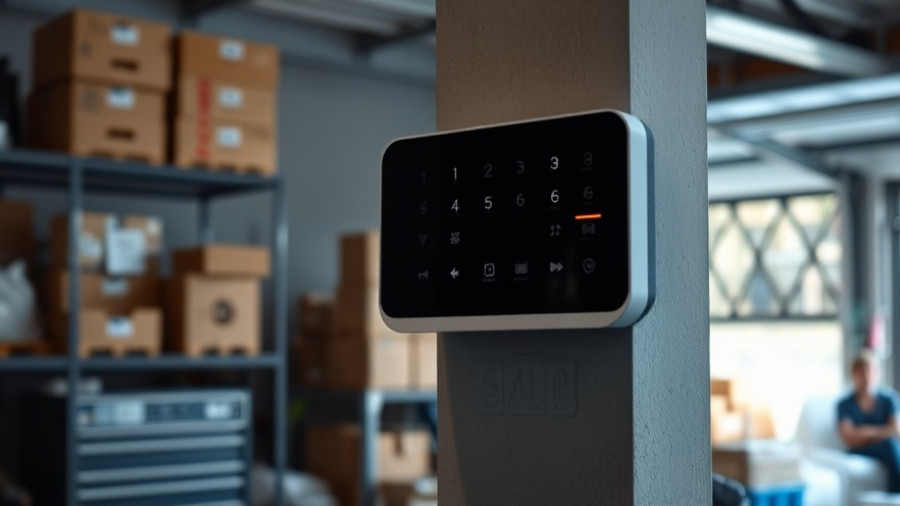
Smart home geofencing device in a garage with woman carrying boxes.

Unlocking the Magic of Geofencing: A Smart Home Revolution

Imagine arriving home after a long day only to find your garage door opening as you approach, your favorite playlist already playing, and your home set to the perfect temperature—all without lifting a finger. This is the magic of geofencing, a smart home technology that utilizes virtual boundaries to automate your living space based on your real-time location.

What Is Geofencing and How Does It Work?

Geofencing creates a virtual perimeter around a geographical location, alerting your connected smart devices to perform certain actions when your mobile device crosses this boundary. For example, when you leave work, your security system can automatically engage, and when you're near home, your thermostat can adjust to create a comfortable environment.

The Benefits of Geofencing in Smart Home Automation

Despite its significant benefits, geofencing is often underutilized. By integrating geofencing with your smart home ecosystem—whether it’s through Google Home, Apple’s HomeKit, or Amazon Alexa—you can enhance convenience and security while optimizing energy use. An automated home provides peace of mind, ensuring lights turn off, doors lock, and temperatures adjust based on your activities.

Practical Applications of Geofencing

1. Automate Security: Set geofences that arm your security system when you distance yourself from home or send reminders to lock doors if you forget. As highlighted in various studies, a substantial portion of burglaries occurs through unlocked entry points.

2. Customize Home Comfort: Create comfort zones that adjust your home’s heating or cooling systems, making enviable energy savings while ensuring your arrival feels welcoming.

3. Boost Convenience: With strategic planning, your home could automatically set optimal lighting and ambiance based on your movements, providing a personalized experience.

Getting Started with Geofencing

Taking advantage of geofencing requires simple setup steps. Typically, you would download your smart home’s app, allow it to access your phone’s location services, then create your desired geofence based on your preferred proximity. The technology is available in various appliances, including lighting, security systems, and climate control devices.

Closing Thoughts

Integrating geofencing technology into your smart home can dramatically transform your everyday experience. The enhanced security, energy efficiency, and convenience offered by geofencing are simply too beneficial to overlook. If you’re eager to explore these capabilities, consider getting started today. Embrace the future of smart home technology—it's a move towards a smarter, more efficient way of living!

Tool Talk

1 Views

0 Comments

Write A Comment

*
*
Related Posts All Posts
12.15.2025

Unlock the Hidden Potential: How Your Monitor's USB Ports Boost Productivity

Update Unlocking Potential: The Untapped Power of Your Monitor's USB Ports In today's modern workplaces, many small and medium-sized business owners are missing out on an often-overlooked asset: the USB ports on their monitors. These ports aren't just additional connections; they can significantly enhance productivity, offering fast data transfer and charging capabilities that streamline workflows. Transforming Your Workspace with Efficient Connectivity Most contemporary monitors come equipped with built-in USB hubs, frequently ignoring their full potential. These hubs support USB 3.0 and even USB 3.2 standards, enabling transfer rates of up to 10 Gbps. What this means for your business is improved access to high-speed devices like external SSDs and high-quality peripherals. Rather than routing several cables to your computer, consolidating connections through your monitor allows for shorter, more organized cable runs that facilitate easier access. Ergonomics and Efficiency: Why It Matters When you position your most-used devices within arm's reach of your monitor, you not only enhance convenience but also promote a healthier workstation setup. High-quality devices, such as mechanical keyboards and graphics tablets, benefit from reduced latency and more stable connections via shorter cables. As a decision-maker, you can encourage a smoother workflow for your team by making these changes. Power and Versatility: Charging and Connecting The functionality extends beyond data transfer; many monitor USB ports are capable of charging devices directly. With varieties supporting power outputs like 1.5 amps, you can quickly charge laptops and smartphones. Integrating peripherals directly into your monitor offers cleaner aesthetics and minimizes the wear from constant cable adjustments, especially useful for setups involving webcams and lighting. Practical Tips for Small and Medium-Sized Businesses To maximize the benefits of your monitor's USB ports, start by Analyzing the specifications of your monitor's USB capabilities to ensure they meet your needs. Organizing frequently used devices for quick connectivity during presentations or meetings. Leveraging the ports for less common, but useful devices like USB fans or LED light strips, enhancing both comfort and functionality in your workspace. By utilizing these practical insights, businesses can enhance their operational setup, leading to increased productivity and a more organized workplace. In today's fast-paced work environment, optimizing your existing technology can bring significant benefits. Consider these strategies for rethinking how you use monitor USB ports, as they could hold the key to a more efficient and effective setup.

12.15.2025

Say Goodbye to Windows 11 Bloat: Enhance Your Productivity with Open Source Tools

Update Why Windows 11 Users Are Tired of BloatwareWindows 11 has introduced a sleek interface and robust features, but many users are finding it bogged down by pre-installed applications and unnecessary background processes—often referred to as bloatware. For small and medium-sized business owners, this bloat can significantly hinder productivity by cluttering the important areas of the operating system and consuming precious system resources.Common Bloatware in Windows 11The bloatware that comes with Windows 11 includes a variety of applications, from games like Solitaire to communication tools such as Skype. Many users find little to no value in these applications, yet they occupy valuable space and system memory. Removing them can streamline the operating system, resulting in a more efficient workflow and a tidier interface. Applications like Bing News, Weather, and Xbox components are often unnecessary for business users.Effective Tools for Bloatware RemovalFortunately, there are effective solutions for tackling bloatware in Windows 11. Tools like Bloatynosy and Win11Debloat provide structured methods for reclaiming system resources. Bloatynosy offers a user-friendly interface that enables quick removal of unwanted applications, while Win11Debloat uses PowerShell for a more automated and detailed approach. With scripts that disable telemetry, ads, and unnecessary features, these tools empower users to regain control over their systems.Why Open-Source Tools Are BeneficialUtilizing open-source tools not only allows users to eliminate bloatware but also enhances their understanding of the system. These tools are designed to be lightweight and customizable, making them an appealing choice for businesses looking to optimize their operations without heavy investments in software. Moreover, the community-driven nature of open-source tools often means better updates and support as problems arise.Take Control of Your System TodayAs small and medium-sized business owners navigate the complexities of today’s digital space, having a streamlined operating system is crucial. Embracing open-source tools to remove bloatware can significantly boost productivity, improve system performance, and reduce distractions. It's time to take back your system and streamline your work environment into one that better suits your unique needs.

12.14.2025

How Google’s Real-Time AI Translation Tools are Shaping Global Business Interactions

Update Transforming Global CommunicationImagine walking through a bustling foreign market, vendors calling out in different languages, and instead of feeling lost, you are seamlessly translating their words into your own language through a simple pair of earbuds. This is not just a dream anymore; Google’s new AI-powered real-time translation technology is turning that vision into reality. Set to change the landscape of globalization, this groundbreaking feature potentially erases the language barriers that have long affected travelers and business owners alike.How Google Translate is EvolvingGoogle has unveiled its latest update to the Translate app, powered by its new Gemini AI model. This beta version promises real-time translation and two-way conversations, embracing over 70 languages and a staggering 2,000 language pairs. With features allowing users to hear ambient conversations translated into their preferred language using earbuds, the technology preserves the subtleties, emotions, and rhythms of spoken language—an aspect often lost in traditional translation apps.AI in Action: The User ExperienceThe real magic lies in the app’s user experience. Business owners traveling to negotiate deals or explore markets can now converse effortlessly, making live connections that were previously hindered by language. Not only does it allow you to understand others, but you can also express yourself clearly, with your speech transformed into the target language through your device's speaker. This innovation could redefine networking, allow for a more authentic understanding of foreign cultures, and facilitate smoother business interactions.Implications for Business OwnersFor small and medium-sized businesses looking to expand globally, leveraging tools like Google Translate is essential. The ability to communicate in real-time opens doors to new market opportunities, helps forge partnerships, and can often lead to increased sales and customer satisfaction. Integrating such technology into business operations can also aid in customer service, providing instant answers to inquiries regardless of the language spoken. As we embrace AI-powered tools, understanding how to implement them strategically into operations will be crucial for business growth.Future Prospects: Beyond Just TranslationThis groundbreaking feature goes beyond mere translation. It offers insights into nuances, sarcasm, humor, and local dialects that traditional translation devices often overlook. As AI continues to evolve, we can expect even more advanced capabilities, such as context-aware translations and cultural understanding, which will become invaluable not only for travelers but also for businesses that desire a more comprehensive communication tool.Conclusion: Embracing ChangeAs Google's real-time translation technology rolls out, the potential for enriching communication on a global scale is enormous. For business owners eager to stay ahead of the curve in a rapidly evolving market, embracing these advancements in language technology will be key. The time to explore and implement such solutions is now—transform your business interactions and expand your horizons.

Terms of Service

Privacy Policy

Core Modal Title

Sorry, no results found

You Might Find These Articles Interesting

T
Please Check Your Email
We Will Be Following Up Shortly
*
*
*