Add Row
Add Element
Add Element
cropper
update

AI GROWS YOUR BUSINESS

cropper
update
Add Element
  • AI update for local business on Facebook
    update
  • AI update for local business on X
    update
  • Dylbo digital media Google business profile
    update
  • Dylbo digital media on LinkedIn
    update
  • update
  • DYLBO digital media on YouTube
    update
  • DYLBO digital media on Instagram
    update
  • Home
  • Categories
    • AI Simplified
    • Tool Talk
    • Success Stories
    • Step-by-Step
    • Future Ready
    • Expert Opinions
    • Money Matters
November 01.2025
2 Minutes Read

Transform Your Business Workflow with Microsoft Office and Windows 11 Pro for Only $55

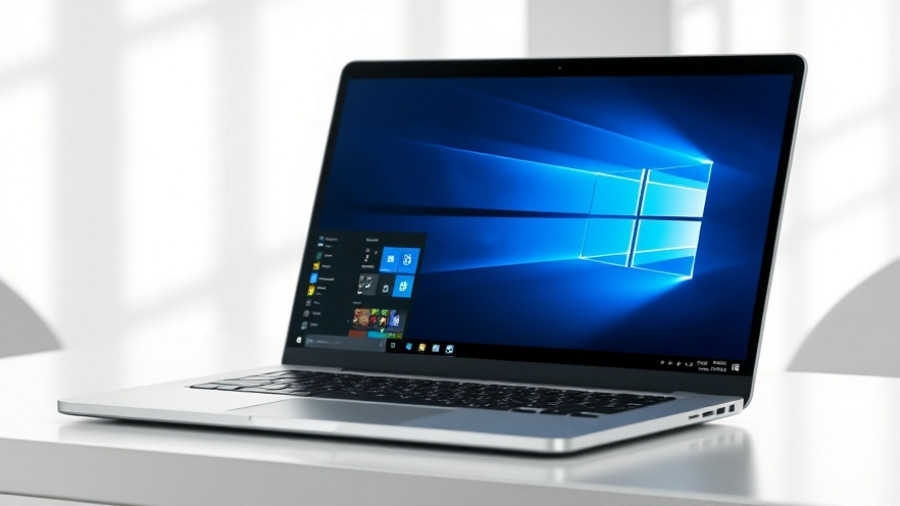
Sleek laptop with Windows 11 for Microsoft Office and Windows 11 Pro deal.

Unlock the Value of Microsoft Office and Windows 11 Pro

For small and medium-sized business owners looking to optimize their productivity without enduring recurring costs, a new deal has emerged that offers Microsoft Office Pro and Windows 11 Pro for a one-time payment of just $55. This limited-time offer, which is a significant drop from their regular combined price of almost $419, is particularly enticing in light of recent changes by Microsoft that have seen a price hike in Microsoft 365 subscriptions and end support for Windows 10.

Why Choose Lifetime Licenses?

Finding cost-effective solutions that enhance business operations is a common challenge for SMEs. This bundle provides not just substantial savings but peace of mind with lifelong licensing, eliminating renewal hassles. By securing lifetime licenses, businesses gain access to essential software including Word, Excel, PowerPoint, and Outlook, including the integrated Microsoft Teams (free version). This means tools for collaboration and productivity are at your fingertips, ready for offline use without connection issues.

The Power of Windows 11 Pro

Alongside Microsoft Office, this deal incorporates Windows 11 Pro, celebrated for its modern interface and enhanced security features. Business owners will appreciate functionalities like BitLocker encryption for safeguarding data and Windows Sandbox, which allows testing new applications in a secure environment. The inclusion of Microsoft Copilot, an AI assistant, facilitates smooth task management, enabling users to streamline workflows effectively.

Is This Deal Right for You?

As businesses navigate through digital transformation, weighing options becomes crucial. While many may consider the ongoing cost of a Microsoft 365 subscription, it’s vital to remember that this deal provides a robust suite of tools without the pressure of monthly payments. However, potential buyers should be aware that the offer of lifetime access comes with the possibility of restrictions from Microsoft at any point. It's always wise to verify the lasting capability of such licenses. Nevertheless, with customer endorsements affirming the reliability of these offers, this could be a strategic move to bolster your tech toolkit significantly.

Time to Act

Given the affordability and the numerous features included in this deal, small and medium business owners should consider seizing the opportunity before it expires. The integration of AI tools in both Microsoft Office and Windows 11 can elevate operational capabilities, making it a solid investment in your business's future.

Tool Talk

2 Views

0 Comments

Write A Comment

*
*
Related Posts All Posts
12.16.2025

Explore ChatPlayground AI: Your All-in-One Solution for AI Experiments

Update Unlocking the Future of AI with ChatPlaygroundThe world of artificial intelligence is evolving rapidly, creating challenges and opportunities for small and medium-sized business (SMB) owners. With numerous AI tools available, it’s often overwhelming to choose one that suits your specific needs. Enter ChatPlayground AI, a game-changing platform designed to simplify AI experimentation through seamless model comparisons. For a one-time payment of just $79, users can access multiple leading AI models all in one user-friendly interface.Why Side-by-Side Comparisons are EssentialIn a market filled with diverse AI models such as GPT-4o, Claude Sonnet 4, and Gemini 1.5 Flash, the ability to run the same prompt against different AIs is invaluable. SMB owners can significantly enhance productivity and find the most accurate, relevant responses to their queries without exhausting precious resources. Rather than switching between platforms and keeping track of multiple subscriptions, ChatPlayground allows users to experiment freely with unlimited messages each month.Features that Foster Creativity and InnovationBeyond basic comparisons, ChatPlayground offers advanced features such as image generation tools, coding assistance, and the capability to upload PDFs and images for context-aware answers. This multifunctional platform is particularly useful for teams and businesses looking to bolster their operations. Users praise the streamlined workflow that comes with having everything in one place, enabling faster decisions and creative brainstorming.A Deep Dive into Real User ExperiencesReal testimonials highlight the product’s effectiveness and usability. One user appreciated how the platform allowed for a cumulative learning experience by utilizing multiple engines simultaneously. Another noted its clarity and ease of use, making it accessible even for those new to AI technologies. However, some users called for improvements, such as enhanced audio features, hinting at future opportunities for growth and add-on features.Conclusion: Seize the AI AdvantageFor SMB owners eager to leverage AI, ChatPlayground provides an accessible entry point to a world of possibilities. With a lifetime subscription at a fraction of the original price, this platform represents a timely investment. Explore the features of ChatPlayground today and witness how integrated AI tools can transform your business strategies.

12.16.2025

Unlocking New Windows 11 Features: What's Important for Your Business

Update Discover the Exciting New Features in Windows 11's December Update Windows 11's December 2025 update is set to revolutionize your experience with a host of innovative features designed to streamline your interaction with the operating system. For small and medium-sized business owners who rely on efficient technology solutions, these updates can significantly enhance productivity and user satisfaction. Visual Enhancements to Streamline Use The update introduces a visual improvement to the Windows search bar, aligning its design with the Start menu, which promises to create a more cohesive user experience. Moreover, Snap Assist now allows users to transition between apps more smoothly, highly beneficial for multitasking business environments. Incorporating Copilot AI for Efficiency A standout addition is the incorporation of the “Share with Copilot” feature in the taskbar. This enhancement enables users to interact with the Copilot AI, facilitating quick communication and task management directly from the app in use. For leaders in small to medium enterprises, the ability to access support without interrupting workflow can be a game changer. Improved File Management with Dark Mode Businesses often rely heavily on File Explorer for day-to-day operations. With the update bringing a full dark mode, including dialogue boxes and progress indicators, users can enjoy a more consistent and visually appealing workspace. This is particularly advantageous as it can reduce eye strain during extended working hours. Centralized Device Management The new Device Information tab directly accessible from the Start settings allows users to quickly view critical information about their devices without navigating through multiple menus. This feature simplifies management tasks, helping businesses save valuable time during setup and troubleshooting. Conclusion: Embrace the New Windows 11 Update In summary, the December 2025 update from Microsoft is brimming with features that not only enhance user experience visually but also improve functionality and productivity. Small and medium-sized business owners should take note of these changes, as understanding and implementing these updates could lead to smoother operations and better use of technology resources. Don't get left behind; ensure your systems are updated and take full advantage of these innovations!

12.15.2025

Unlock the Hidden Potential: How Your Monitor's USB Ports Boost Productivity

Update Unlocking Potential: The Untapped Power of Your Monitor's USB Ports In today's modern workplaces, many small and medium-sized business owners are missing out on an often-overlooked asset: the USB ports on their monitors. These ports aren't just additional connections; they can significantly enhance productivity, offering fast data transfer and charging capabilities that streamline workflows. Transforming Your Workspace with Efficient Connectivity Most contemporary monitors come equipped with built-in USB hubs, frequently ignoring their full potential. These hubs support USB 3.0 and even USB 3.2 standards, enabling transfer rates of up to 10 Gbps. What this means for your business is improved access to high-speed devices like external SSDs and high-quality peripherals. Rather than routing several cables to your computer, consolidating connections through your monitor allows for shorter, more organized cable runs that facilitate easier access. Ergonomics and Efficiency: Why It Matters When you position your most-used devices within arm's reach of your monitor, you not only enhance convenience but also promote a healthier workstation setup. High-quality devices, such as mechanical keyboards and graphics tablets, benefit from reduced latency and more stable connections via shorter cables. As a decision-maker, you can encourage a smoother workflow for your team by making these changes. Power and Versatility: Charging and Connecting The functionality extends beyond data transfer; many monitor USB ports are capable of charging devices directly. With varieties supporting power outputs like 1.5 amps, you can quickly charge laptops and smartphones. Integrating peripherals directly into your monitor offers cleaner aesthetics and minimizes the wear from constant cable adjustments, especially useful for setups involving webcams and lighting. Practical Tips for Small and Medium-Sized Businesses To maximize the benefits of your monitor's USB ports, start by Analyzing the specifications of your monitor's USB capabilities to ensure they meet your needs. Organizing frequently used devices for quick connectivity during presentations or meetings. Leveraging the ports for less common, but useful devices like USB fans or LED light strips, enhancing both comfort and functionality in your workspace. By utilizing these practical insights, businesses can enhance their operational setup, leading to increased productivity and a more organized workplace. In today's fast-paced work environment, optimizing your existing technology can bring significant benefits. Consider these strategies for rethinking how you use monitor USB ports, as they could hold the key to a more efficient and effective setup.

Terms of Service

Privacy Policy

Core Modal Title

Sorry, no results found

You Might Find These Articles Interesting

T
Please Check Your Email
We Will Be Following Up Shortly
*
*
*